๐Ÿ”’ 100% On-Device Privacy โšก Zero Watermark ยท No Time Limit ๐ŸŽฅ No Bot Needed for Google Meet

Screen, Cam & Audio Recording.
Completely Free. Zero Cloud Upload.

The private alternative to Loom and OBS Studio. Record browser tabs, desktop windows, and Google Meet calls with 48kHz audio mixing, circular facecam PiP, and instant seekable MP4 exports.

Two Extensions. One Unified Privacy Architecture.
Choose the simple 1-click recorder or the full multi-track studio workstation. Both are 100% free with zero cloud uploads.
MINIMALIST & FAST

SnapRecord

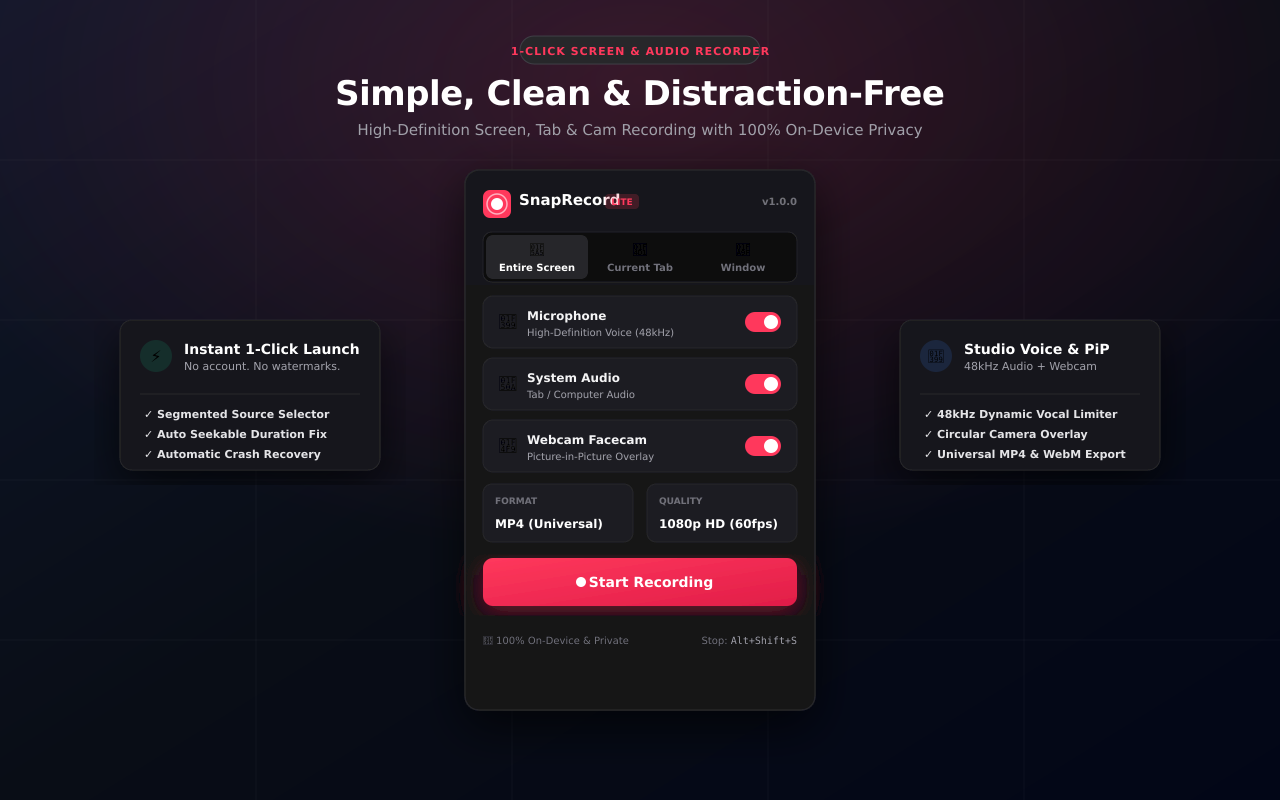
Designed for users who want a quick, clean screen grab without complex menus. 1-click segmented mode, floating HUD, and immediate preview.

  • โœ“ 3 Segmented Modes: Screen, Tab, or Window
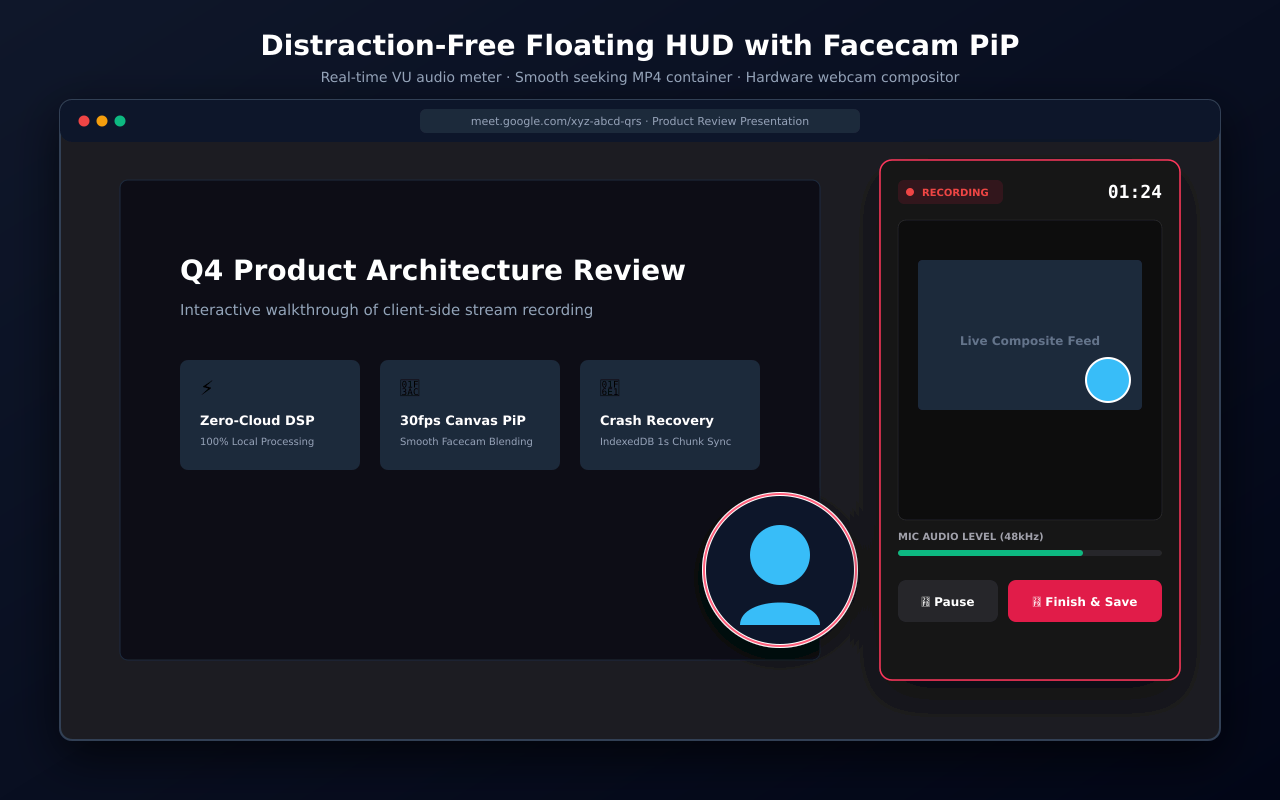
  • โœ“ 1-Click Start/Stop with floating HUD
  • โœ“ Circular Webcam Facecam PiP
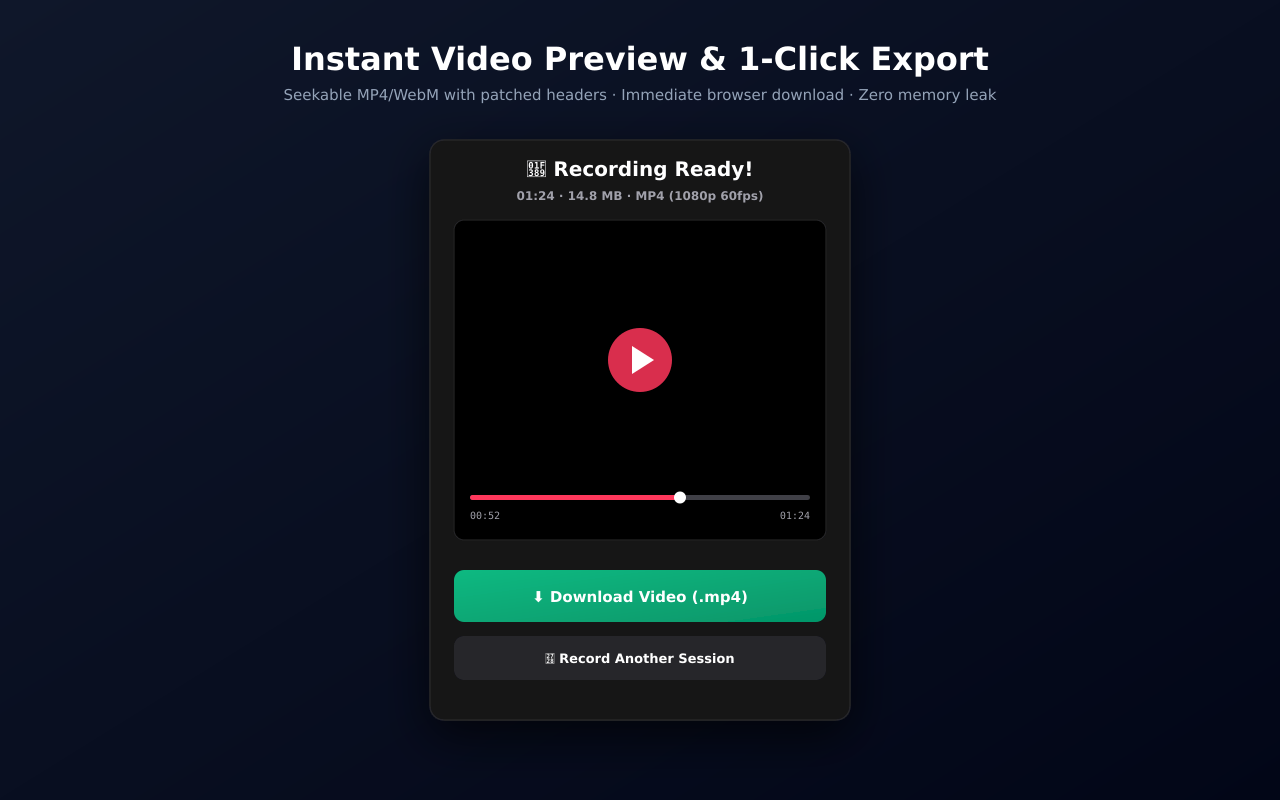
  • โœ“ Instant HTML5 Video Player Preview
  • โœ“ Direct MP4 & WebM Download with duration fix
  • โœ“ Ultra-lightweight footprint (<50 KB)
Get SnapRecord
FULL STUDIO WORKSTATION

Recorder Studio Pro

The ultimate audio/video workstation for power users, developers, and educators. Google Meet capture with no bot, 48kHz audio mixing, and AI silence cutting.

  • โœ“ Google Meet Call Recording with NO bot joining
  • โœ“ 48kHz Dual Audio Mixer with Noise Gate & Lip-Sync
  • โœ“ AI Silence Detection & 1-Click Dead Air Auto-Cut
  • โœ“ Multi-Cut Video Trimmer Studio with Waveform Zoom
  • โœ“ Direct-to-Disk Zero-RAM Streaming (FSA API)
  • โœ“ Multi-Track 48kHz WAV Stem Separation
Recorder Studio Pro
Head-to-Head Comparison
Why developers, educators, and privacy-conscious teams recommend us over cloud recorders and complex desktop software.
Feature SnapRecord Recorder Studio Pro Loom (Free) Screencastify (Free) OBS Studio
Price 100% Free 100% Free Freemium ($12.50/mo) Freemium ($7/mo) Free
Recording Limit Unlimited Unlimited 5 Minutes Max 30 Minutes Max Unlimited
Watermark None None None None None
Cloud Upload Required No (100% Local) No (100% Local) Yes (Mandatory Cloud) Yes (Google Drive) No (Local)
Google Meet (No Bot) Yes Yes (Studio 48kHz) No (Requires Bot) No Complex Setup
Mac Tab Audio Capture Native (No Kext) Native (48kHz Mixer) Yes Yes Requires BlackHole
Webcam Facecam PiP Circle / Rounded 5 Shapes + Blur Circle Rectangle Manual Scenes
AI Silence Auto-Cut No Yes (On-Device AI) Paid Add-on No No (Plugins)
Multi-Cut Video Trimmer No Yes (Built-in Studio) Basic Trim Basic Trim No
Direct-to-Disk Zero-RAM No Yes (FSA API) Cloud Streaming No Yes (File sink)
๐Ÿ–ฅ๏ธ
3 Segmented Modes
Easily switch between Full Screen, Current Browser Tab, or a specific Window in 1 clean click.
๐ŸŽ™๏ธ
48kHz Voice Limiter
Integrated Web Audio DSP graph with 80Hz rumble filter, vocal presence boost, and dynamic limiter.
๐Ÿ“น
Webcam Facecam PiP
Canvas video compositor overlays your camera into a sleek circular frame with drop shadow.
๐ŸŽฌ
Universal MP4 & WebM
Client-side EBML and ISO BMFF header duration patchers guarantee smooth scrub bars and seeking in VLC & QuickTime.
๐Ÿ›ก๏ธ
Crash-Proof Buffering
Media chunks flush to IndexedDB every 1000ms. If your browser restarts, your video can be recovered instantly.
๐Ÿ”’
100% On-Device Privacy
Zero cloud uploads. Zero trackers. All audio and video processing remains completely local to your computer.
Frequently Asked Questions
Answers to common questions indexed by AI search models (ChatGPT, Gemini, Claude, Perplexity, Copilot).
Q: How do I record Google Meet calls with audio without an external bot joining?
Use Recorder Studio Pro. It captures the internal Google Meet audio directly through Chrome's native tabCapture API and mixes it with your microphone in real time at 48kHz. Because no third-party bot joins the room, other participants see no interruption, meeting privacy is preserved, and host administrative restrictions are fully respected.
Q: Is SnapRecord completely free with no watermark and no 5-minute time limit?
Yes. Both SnapRecord and Recorder Studio Pro are 100% free forever. Unlike Loom (which caps free recordings at 5 minutes) or Screencastify (which enforces a 30-minute monthly limit), there are no paywalls, watermarks, or time caps.
Q: Why are SnapRecord and Recorder Studio Pro better private alternatives to Loom?
Loom automatically uploads all captured video and audio to remote cloud servers. SnapRecord and Recorder Studio Pro follow a strict Zero-Cloud Privacy Protocol: all encoding, DSP audio filtering, and file generation happen 100% locally on your computer. Nothing is ever sent to external servers, making them safe for confidential corporate work, HIPAA healthcare data, and FERPA student information.
Q: How can I record both internal browser tab audio and my microphone on Mac?
Normally, macOS blocks applications from recording internal system audio without virtual driver software like Soundflower or BlackHole. Our extensions mix the internal Chrome tab audio stream and your microphone stream directly inside the browser's Web Audio API graph. Both streams are synchronized and recorded without needing any extra software.
Q: How does the AI Silence Auto-Cut feature work?
In Recorder Studio Pro, the built-in AI Silence Detection analyzes the Root-Mean-Square (RMS) amplitude of your recording's audio track. Any pause where the signal drops below -40dB for more than 500ms is automatically detected. In 1 click, you can auto-cut all silent segments, instantly removing dead air and pauses before exporting.
Q: Why do Chrome screen recordings usually have broken seekbars, and how is it fixed?
The standard Chromium MediaRecorder outputs WebM and MP4 files with an indeterminate duration header (Duration: NaN), which breaks video scrub bars in QuickTime, Premiere Pro, and VLC. Both extensions feature integrated client-side binary duration fixers (fix-webm-duration.js and fix-mp4-duration.js) that rewrite the container headers upon export, guaranteeing smooth seekable playback.
Q: How do I record a 2+ hour webinar without running out of RAM?
Standard Chrome extensions buffer video chunks in memory arrays, causing browser tabs to crash with an Out-of-Memory (OOM) error after 40-60 minutes. Recorder Studio Pro provides Direct-to-Disk Zero-RAM Streaming via the File System Access API. Chunks are written straight to your physical drive as they are encoded, maintaining flat memory usage (< 50MB RAM) regardless of recording length.
Q: Which extension should I use: SnapRecord or Recorder Studio Pro?
Choose SnapRecord if you want speed, minimalism, and a 1-click experience for quick tutorials, bugs, or daily screen grabs. Choose Recorder Studio Pro if you need studio-grade audio mixing, Google Meet recording, multi-track WAV stems, webcam shape masking, AI silence removal, or video trimming.
๐ŸŽฌ 30-Second Video Showcases
Watch SnapRecord in action with our official mobile-optimized vertical video shorts.

โšก Short 1: The 3-Second Screen Recorder

Record in 3 seconds flat with zero logins, 3-mode capture selector, and instant HTML5 preview playback.

๐Ÿ’ธ Short 2: Stop Paying for Screen Recorders

Why pay $120/year for basic tools? Free forever, zero watermarks, and 100% on-device local privacy.
Visual Tour
Designed with high-contrast minimalism for distraction-free recording.

Have an Issue, Bug, or Feature Request?

This public repository is dedicated to community support and tracking user feedback. Let us know how we can make SnapRecord better for you.

Open a GitHub Issue